Vmware Failed to login into NFC server Datastore error
Problem Symptom:
--------------------------
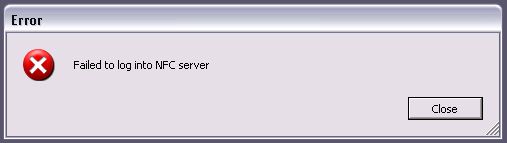
Runtime Envirnment:
---------------------------
Vcenter 5.5
ESXI 5.5
Client WIndows 7 with Wireless
Solution Reference:
------------------------
http://www.vspecialist.co.uk/2012/10/failed-to-login-to-nfc-server-errors-in-vsphere/
Soultion:
-----------------------
Any of the below KBs or Communities threads may be relevant to your particular issue. However, first suspect should always be DNS! Check this first and resolve any issues before delving further into support and troubleshooting.
While looking for causes I found these possibilities:
Not enough space in the datastore
Port 901/902 not open between the VI Client to the source of the file (and/or VC Server, could not find if that is also a factor)
DNS configuration for the host servers
As a possible solution I also found that restarting the VC Server service could help.
My Personal Solution:
--------------------
Since i used wireless to download the data from store, then i try to connect the ESXI via vsphere client, but failed.
Then i check DNS, it is ok, i can ping thenm via Netbios name
The problem is why i can‘t login Exsi host server via vsphere client?
then i plug the cable, it is works. i don‘t know why
So the solution is:
useing cable to connect the client computer to network and download,
本文出自 “苏兰网络” 博客,转载请与作者联系!